Monday, March 23, 2015

Exalogic Virtual Control Stack Backup and Oracle Enterprise Manager (OEM)

So I think our group is a early adopter of the Oracle Exalogic Elastic Cloud, specifically the virtual edition.  Now I don't believe we are the only ones running this product, not by a long shot.  But I'm not sure there is a large number of big corporations using it yet for critical application workloads.  That being said, it has been working well for us.

Today I'd like to talk about one specific item for the Exalogic.  In a virtual configuration there is a set of virtual servers (or vServers as Oracle calls them), that runs the management interface for the virtualization.  This is called the Control Stack by Oracle.  The Control stack is made up of three vServers that host an install of Oracle Virtual Machine Manager (OVMM), and Oracle Enterprise Manager Operations Center (EMOC).  These systems are critical to operations on your system, they are used to monitor all your hardware and vServers; create and destroy vServers; and most importantly start or stop any vServers.

As you might guess from this description, you need to backup your control stack, as it contains all the information about your virtual infrastructure.  If you were to loose your control stack, you would effectively loose all your vServers.  The data that the vServers contain is somewhere else, but all of the information about your vServers (the names, IP addresses, what drives are attached to what servers, etc...) is in the control stack.  Without this, you would have a hard time finding anything.

Oracle provides a utility to do backups in Exalogic virtual called EXABR.  This is pretty full feature, if young tool.  One of it's options is to backup the control stack.  Now for the backup to work, the control stack has to be shutdown.  This does not impact your running system, all the running vServers will stay running, this only impacts your ability to do management for the duration of the backup.  In our experience this backup is also very fast, maybe a minute or two at most.  There are three main commands to the backup:
exabr stop control-stack -r /backupdir 
exabr backup control-stack -r /backupdir
exabr start control-stack -r /backupdir
Pretty straight forward.  Now as the title of this blog shows, we have a second set of software to talk about; Oracle Enterprise Manager Cloud Control (OEMCC).  We (like a lot of customers) use OEMCC to monitor and manage our Oracle landscape, and Exalogic is no different.  So in a normal Exalogic Virtual deployment when you use OEMCC, you will install a OEM Agent on the first server of the Control Stack (generally called the admin server), which hosts the OVMM and EMOC web servers.  This agent monitors all of the Exalogic components.

Now comes the rub, as they say.  When you start your control stack backup, the exabr stop contorl-stack command will shutdown this server, and therefore the agent for OEMCC.  This will then generate alerts for your entire Exalogic cloud.  As you might guess in a large cloud you will get 100's of alerts.  So the answer of course is to create a blackout in OEMCC.  Here is our method of doing this.  We added two lines to the above code:
ssh oracle@scand01adm01 /u01/app/EMbase/core/12.1.0.3.0/bin/emctl start blackout \"ExaBR stop control stack for backup\" -nodelevel 
exabr stop control-stack -r /backupdir
exabr backup control-stack -r /backupdir
exabr start control-stack -r /backupdir
ssh oracle@scand01adm01 /u01/app/EMbase/core/12.1.0.3.0/bin/emctl stop blackout \"ExaBR stop control stack for backup\" -nodelevel
So basically this is all scripted up so that whenever we call a backup we get the blackout and the backup.  We had to setup SSH keys for the user that runs the OEMCC agent (probably oracle user in most installations) to allow the SSH to work from the compute node where exabr runs.

This has saved us a lot of headaches from the daily operations of Exalogic, and by doing the nodelevel blackout on OEMCC it blackouts all the vServers and related infrastructure for that agent.  Luckily the backups generally only runs for one or two minutes at most so this does not put us at a very high risk right now.

Monday, February 2, 2015

Learning Oracle PL/SQL

I'm pretty behind on my blog, and even worse I'm behind on a promise.  So I'll try to catch up on my blog, but first my promise.

I've been lucky enough to work with Oracle products since Oracle database version 6 and Oracle e-Business suite version 7.  Working with Oracle I also got to work with just about every related technology from hardware to software, from network to disk, and from SQL to PL/SQL.

I think learning technology comes down to three basic methods.

  1. Lean by doing, sometimes people are just very good at a topic or area.  They try it, they do well right away.
  2. Learn by learning, reading books, blogs, manuals, also learning from others.  This is probably how most of my skills were gotten, learning from classes, reading, and most of all from other people that had the skill already.
  3. Learn by failing, attempting but failing.  I think this is the strongest way to learn, but that being said there are generally two possible outcomes.  Taking away what went wrong, and what should be done different next time.  Or just staying away from the topic all together forever.
Now imagine you were someone trying to learn PL/SQL, a standard programing language for Oracle.  Maybe you are just a natural at PL1 type programming syntax and ideas of record set based processing seem easy.  Or perhaps you tried some PL/SQL, it didn't work, the error messages were cryptic and you decided to just go use Java.

But what if you really want to learn PL/SQL?  What if you have done some basics but really want to be good at it?  Well then you will probably have to lean on learning from other people or things other people have written (books, blogs, etc...).  It seems everyone I meet is into the Google method of learning.  I try something (1), I fail (3), I then search for something in Google to find out why (2).  Based on this model I should move items 2 and 3 around in my list.

The problem with this model is that you only search for help when you fail.  This assumes that everything I tired (1) that does not fail (3) is good.   People who have inherited systems or programs that fail only on month end know all to well the fact that just because something works, does not mean it works well.

So when you want to learn a broad subject like PL/SQL well you have to learn from the ground up. Not just what has failed, but also how to get better at what you already know.  This also means learning broad interconnected topics such as writing, testing, and tuning code together.  Not as three separate subjects and not attempting to do this in 100's of bitesize bits of information through google searches for blogs.

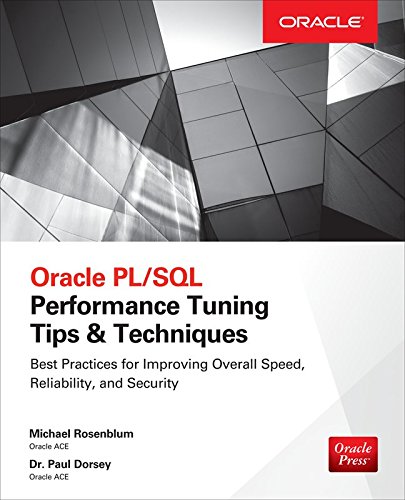
Recently, some people I know put out a very good book to try and accomplish just this.  "Oracle PL/SQL Performance Tuning Tips & Techniques" by Michael Rosenblum and Paul Dorsey (technical editor Arup Nanda).  This is not a "stereo instructions" manual with diagrams of syntax, and descriptions of what things do.  Instead it is a very well thought out and put together set of learnings on how to take the basics of PL/SQL and make them extraordinary.  As I have surmised this is not done by reading one or two topics, or finding quick solutions by keywords in the index.  Instead it's a chapter by chapter discussion on how to learn what you need to know.

Spending a few hours of reading this book, can replace days of Google searches, perhaps even a lifetime.

Very worth while, and very high on my very short list of recommended programming books. 


Tuesday, September 23, 2014

Oracle OpenWorld 2014

This year has passed by faster than I would have liked.  If you can tell by the sparatic posting in my blog.  But yet again, Oracle OpenWorld 2014 is upon us.  This the largest gathering of Oracle professionals in the world held every year in San Francisco, CA.

I have been selected to present twice, which is really exciting.  The first session is in conjunction with my favorite user group IOUG.  For those not familure, user groups are external organizations not run by Oracle, that have independent leaders, and are focused on helping their members through leraning, sharing, mentoring, and networking.  The IOUG also provides access to Oracle internal resourcses through it's Special Interest Groups or SiG's.  The SIG range from hardware to software for Oracle and provides a voice for it's members to sway Oracle product and support.

So back to my presentations:

Sunday, Sep 28, 10:00 AM - 10:45 AM PDT- Moscone South - 308

In this session I'll be joined by a panel of Oracle experts reconized in the industry and by Oracle through their ACE program; Kirby McCord, Charles Kim, Kai Yu, and Tariq Farooq.  We will be doing a panel discussion or debate on modern infrastructuer architecture.  What if you could build your data center from scratch?  Would you go all cloud?  How about engineered systems?  Maybe low cost commodity hardware and virtulization?  
This will be a condensed version of the two hour session we did at Collaborate (the user group conference), see my previous post about that session.  Bring your questions and lets get the conversation started.

The second session is in conjunction with Oracle

Tuesday, Sep 30, 3:45 PM - 4:30 PM PDT - Moscone South - 270

Here again I'll be on a panel joined by fellow users of the Exalogic platform discussion our experineces with running Oracle E-Business Suite (EBS) on Oracle Engineered systems.  Specifically we will be talking about the impact on system reliability.  Hear from existing customers on the Exalogic platform, how they have adopted the engineered system into their application ecosystem.

Through conferences and user groups I have had the pleasure to meet many of the experts in the field and work with them on volunteer opportunities.  I'm excited to be at OpenWorld again, and I look forward to seeing you there.

Friday, September 12, 2014

Oracle Database backups, OEM Cloud Control, and LDAP

So I need to make more of a habit out of posting short blogs every week.  So this week I'm putting out a little tidbit that we discovered this week.

Our environment is a new Exadata X4-2 and we were trying to configure database backups through Oracle Enterprise Manger Cloud Control (OEMCC).  This is a standard backup job scheduled / setup through the database management pages in OEMCC, and is not really unique to Exadata.  But what we ran into is partial to Exadata and partial to just OEMCC.

As with many large corporations, users and passwords for our environment are stored in LDAP.  In general this is transparent to all applications.  Well there are a few exceptions, and this really gets into some low level details on how Linux security (specifically PAM in this case) and applications like OEMCC interact.

While setting up the jobs in OEMCC and trying to test the backup using OS credentials we kept receiving invalid password errors.  We then worked to verify the password from the OS level, and found that it worked fine.   So clearly this was a standard error message, not specific to the real problem.

Thanks to our team we found two specific My Oracle Support (MOS) notes that resolved this issue:

  • Error 'incorrect password' reports when run command su after inputting correct password on exadata server (Doc ID 1460921.1)
  • How to Configure the Enterprise Management Agent Host Credentials for PAM and LDAP (Doc ID 422073.1)
Both of these changes were made, and then our backup jobs were working fine.

A few notes on the document 422073.1 which is slightly vague on the PAM setup / changes for the OEM Agent.  Our systems worked by using the RedHat version of the /etc/pam.d/emagent file such as this:

#%PAM­1.0
auth   required  pam_ldap.so 
account   required  pam_ldap.so 
password  required  pam_ldap.so 
session   required  pam_ldap.so

And the update to the agent commonenv file, we used the lib64 version of the pam library located here: /lib64/libpam.so.0

We did not need to install the pam-devel rpm as the note mentioned, we just used the above libpam.so.0 that was installed with the normal pam rpm.

Another interesting feature of the Oracle eco system.

Gary

Sunday, July 27, 2014

Exalogic Elastic Cloud Virtual + Oracle Enterprise Manager Cloud Control 12c

Ok, so now for a little bit more technical post.  I'm currently getting the opportunity to work with a lot of new (or newer) Oracle technology.  One of these is an Oracle Exalogic Elastic Cloud - virtual of course.

This system has a lot of built in technology utilizing Oracle Virtual Machine (OVM) which requires Oracle Virtual Machine Manager (OVMM) console, and Oracle Enterprise Manager Operations Center (EMOC).  All of this will be pre-installed and configured with your Virtual edition of the Exalogic.  But now what if you want to integrate this with Oracle Enterprise Manager Cloud Control (OEMCC or just OEM). or how do I get my EECV to work with OEMCC?

(Ok slight pause while we catch our breath from all of these acronyms)

So there are instructions in the OEMCC manual "Oracle® Enterprise Manager Cloud Control Managing and Monitoring an Oracle Exalogic Elastic Cloud Machine"

Donald Forbes has a ok blog post on Exalogic with OEM.

But overall I found these to be confusing, unorganized, and hard to follow.
So I won't try to go through all the details, but I will at least try to organize the instructions some.

  1. You need to have OEMCC installed.  This is kind of a no-duh statement, but the manual go over it in detail for some reason.
  2. You need the following plug-in's installed in OEMCC
    1. Oracle Virtualization 
    2. Exalogic Elastic Cloud Infrastructure 
    3. Oracle ZFS Storage Appliances
  3. You need to install a OEMCC Agent on the management vServer of you Exalogic system (this is the server that hosts the EMOC URL)
  4. Deploy the above three plug-in's to the OEMCC agent on your EMOC vServer
  5. Import security certificates for EMOC and OVMM into your OEMCC Agent on your EMOC vServer
  6. Setup OVMM to not be administered by OEMCC due to the usage of EMOC (this is very tricky, and involves directly executing java commands into the OVMM).  Be sure to read the instructions and review the MOS note: " How To Configure Oracle Virtual Machine Manager (OVMM) for read-only access by Enterprise Manager Cloud Control (Doc ID 1533415.1)"
  7. In OEMCC, discover the ZFS storage appliance, only the first storage head that is the active needs to be discovered.
  8. In OEMCC, discover the Exalogic Elastic Cloud (this is done by having OEMCC talk to EMOC)
  9. In OEMCC, discover the OVMM
If all goes right you will have a pretty visual of a Exalogic rack in your OEMCC and access to view vServers and other information on the systems.  Then you can work on the many setups of metric thresholds, notification rules, and the general benefits of OEMCC.

Good Luck, not a task for the faint of heart.
Gary

Wednesday, May 21, 2014

Collaborate 14 - reflections

Sorry this is a little latter to publish than I wanted.  It has been a very busy month with lots of travel.  

Another year of Collaborate has passed, yet again I meet many new people.  Experienced great in person learning from the experts spanning the fields of engineered systems, database, PL/SQL development, cloud, and more.  It was a great week, and a big thank you to all the speakers, volunteers, and staff that helped make everything work so well.  Thanks to everyone at IOUG!
I'd like to say thank you to everyone that attended my session on infrastructure architecture, session 507 "You Bet Your Datacenter".  We had a great participation from our in-person and on-line audiences.  Without you, this session never could have worked.  Of course, the session would have been nothing without the panel members, my extreme gratitude goes out to Tariq Farooq, Kirby McCord, Arup Nanda, and Kai Yu.

So for those of you that missed the session, the goal was to have a high level conversation about infrastructure architecture.  Daily in our jobs we are influenced if not dictated by the infrastructure and architecture choices made by our organizations.  Some of these are strategic decisions, some are living with history. 

Since it is hard to abstract these discussions from our day to day realities, I created an artificial company that was used for our discussion, and our panel played four possible Chief Technology Officer (CTO) with different plans for the company.

Out CTO's had a mixture of engineered systems, virtualization and external cloud.  Although these sound simple, common, maybe guessable?  But the reality is much more complex.  Our CTO's all had virtual servers, some utilizing commodity hardware, others using purely engineered systems.   Some pushed heavily into externally hosted applications, but all had moved to externally hosted basic services like email.  Three of the CTO's kept all databases separate on either engineered systems or non-virtualized commodity hardware.

So what did our attendees want to discuss?  Lots of great questions.
Is cloud model sustainable over time, vs one time cash infusion?
Our fake company was going through a major change, a one time cash infusion to completely remake the IT infrastructure from legacy systems.  Externally hosted cloud is a on-going monthly cost, basically for the life of the company.  The short answer is that financial models for the company have to take this into account.  Internal hardware is generally purchased or leased, but either way there is a known cost with a beginning and a end.  Hosted applications have a continuous cost, in fact they can have a variable cost if you are paying by utilization.  This is not a good or bad thing, it's just a realization that traditional IT cost models probably need to adjust.

How do you take cost out with your model?
Most companies have ups and downs, there will be times when you will have to adjust your budget.  This is never easy, can purchased hardware just be returned?  Ending leases early is not always a great answer for multiple reasons.  For those heavily invested in external hosting, you may have fixed contract costs that can not be easily modified.  Closely watching contract terms and working with vendors including hosting companies, hardware vendors, even leasing companies is critical to costs.

How long will implementation take?
Yet another amazing question, and far from an easy one.  There is a lot of discussion about how much time it takes to bring hardware into a data center, or how quickly a cloud vendor can bring a system online.  Our panel took a good look at this question and come back with the reality that change in the company takes time.  Retraining the workforce, both in IT and the users of the systems where needed.  Migrating systems from old hardware to new, or possibly moving the data from internal to external systems.  Integrating systems, possibly connecting multiple external vendors to each other, or to internal systems.  After some good back and forth everyone seemed to agree that at least a year would be required.

What about competition between vendors and integration with cloud vendors?
This topic came up a few times in different guises and with different intentions.  First, how do you integrate between internal systems and externally hosted systems in the cloud.  Depending on what applications are internally hosted and eternally hosted this can get very complex or even costly due to telecommunication charges.  Second to this topic is if applications are hosted at multiple external vendors or clouds.  Then you have to deal with integration's across vendors, and may run into even more telecommunications costs or headaches.  Finally, what if the decision is made to migrate from one cloud vendor to another?  How do you transfer your system?  Will you have to re-architect it?  Unfortunately the cloud era is still pretty young to have many answers to these questions, but the CTO panel was split on their answers.  Some focused on the need to stay with internal systems that eliminate some of these concerns, while others noted that these concerns are being addressed and as the industry matures these concerns will be resolved.

I'd be remiss if I didn't mention one CTO's heartfelt push towards both cloud and engineered systems.  Pointing towards the head winds of the market.  As he stated, the trends at least for now all point towards a heavy shift to could based externally hosted systems and specialized pre engineered infrastructure both in the virtualization spaces and data management spaces.  On that front I must agree, as history of IT has shown us change is rapid.  Identifying true winners and losers in IT trends is almost impossible.  Having knowledgeable, impassioned, and talented people is always the best way to make technical trends into business realities.  Thanks again to everyone that participated in our session, and the amazing panel.

Hope to see you next year at Collaborate 15!

Tuesday, April 8, 2014

Infrastructure Architecture in the modern world

Infrastructure architecture is a vast and deep topic.  Much of our day to day lives in IT are driven by previous decisions in this area.  How do I backup my system?  What types of servers can I order for my project?  What version of OS am I allowed to use?  These are all generally dictated by the infrastructure that has been chosen in your company, data center, or IT shop.

As DBA's and application admins we ask why can't I backup my system faster?  Why can't I bring in a new server or storage technology?  Why doesn't my system work just like the powerpoint diagram the vendor gave me?

Well the answer is the architecture, the standards set forth and the technology choices we have at hand.  Often these rules and choices are dictated by much bigger business forces and decisions, not really for technical reasons.  How much investment budget does the company have at hand to change from one vendor to another?  How will the existing staff adapt to the new technology?  Will the technology work for everything in the data center?  Not just one database, one technology, or one application?

Over the years I've had conversations like this with many experienced IT professional both in my company and at conferences.  These topics are deep, and no one answer is right.  The reality depends on the company, the size of the teams, the size of the budgets, the ability for teams to understand and change, and many other factors.

This year at Collaborate I'm pleased to be working with industry experts and Oracle ACE's.  Join myself along with Tariq Farooq, Kirby McCord, Arup Nanda, and Kia Yu as we try to discuss this topic in a two hour panel session Thursday at 3:00 in Lido 3105 and also with IOUG Plug in to Vegas.

Since these topics can often get sided with the limits we have in our daily jobs, our session will use a fake company made up for the discussion.  We will talk about the options of engineered systems, virtualization, commodity hardware, and external clouds.  Why choose these architectures, and what some of the impacts on future business decisions would be.

Hope to see you there.